An Audiobook Binder Alternative That's Still Maintained
The classic free Audiobook Binder earned a lot of love binding MP3s
into M4B audiobooks — but it stopped shipping updates years ago.
AudioBo does the same job on today's macOS, and keeps getting better
every month.
9to5Mac: “It's my go-to app for building audiobooks on macOS.”
Read the review →
What happened to Audiobook Binder?
The short answer: the original is gone, and AudioBo is the
modern, actively maintained Audiobook Binder alternative for Mac —
the same MP3 → M4B workflow, rebuilt for today's macOS and updated
monthly. The longer story is worth two minutes, because the name is
now being used by apps that have nothing to do with the original.
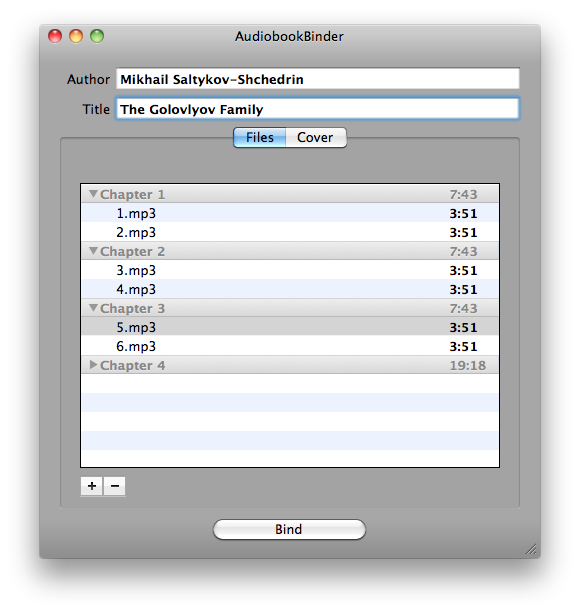
The original Audiobook Binder was a free, open-source Mac utility that
did one thing well: it took a folder of MP3s and bound them into an
iPod-compatible M4B audiobook. Development wound down years ago — the
project hasn't shipped a release in a long time, its homepage is
offline, and the app is no longer on the Mac App Store. On current
versions of macOS, that usually surfaces as “Audiobook Binder not
working” — and with no updates coming, there's no fix on the way.
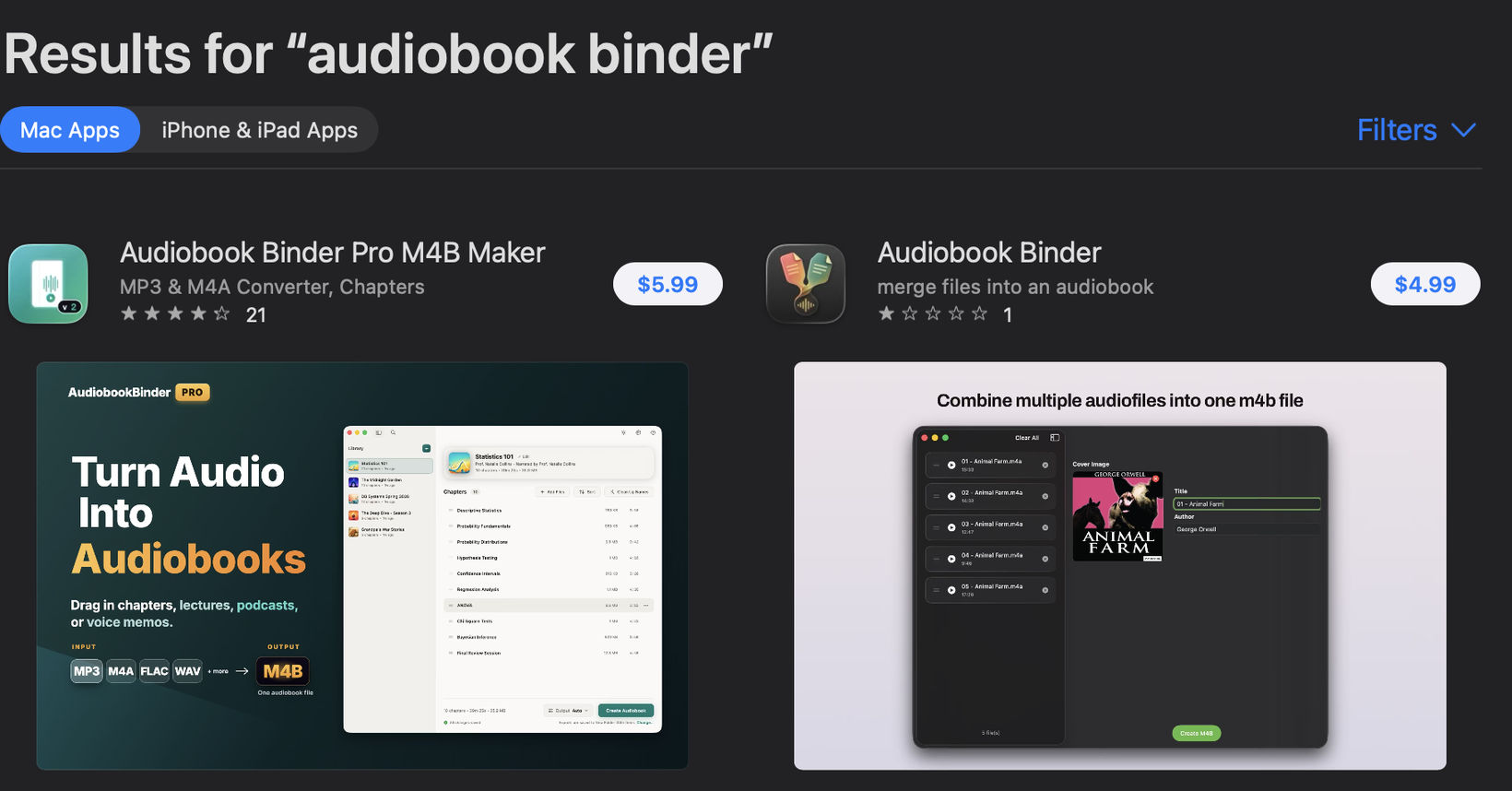
One thing worth knowing while you search: the paid apps sold as
“Audiobook Binder” on the Mac App Store today have nothing to do with
the original. They come from unrelated developers who adopted the name
of a beloved free project after it faded — trading on its reputation,
and easy to mistake for it, which may well be the point. Quality is a
separate question: by the look of them, these are vibe-coded rushes to
market — young apps with no track record and none of the craft the
original was loved for. Check the developer's name and the recent
reviews before you pay: none of them is a continuation of the
original.
The original: free, open source, a window and a Bind button. From the project's own homepage, as archived in 2016.The same name in the Mac App Store search today (August 2026): two paid apps from two unrelated developers — one at 1★ from its single rating, the other at 4★ from 21.
Buyers do notice. From the public App Store reviews of the apps now wearing the name:
“Slow and lumbering… It doesn’t have the features available in the free AudioBookBinder app, which I thought it was a pro version of.”
— 1★ review of “Audiobook Binder Pro M4B Maker”, App Store (Canada), June 2026
2★, US, April 2026: 49 imported chapters arrived with “no particular order to them”, and reordering meant “2 clicks for title – per position change = hours!”
4★, Ukraine, February 2026: “It is impossible to set a cover for the book. The button does not work, and it is also impossible to drag the image.”
The same workflow, in a maintained app
AudioBo picks up where the original left off — same mental model, none
of the bit rot. Here's the classic Audiobook Binder workflow, step by
step:
Drop your MP3s in. Drag the folder onto AudioBo — every file becomes a chapter, in order. CUE sheets and timestamp files work too.
Add the book info. Type the title, author and cover — or press ⌘F and fetch all of it, chapter names included, from Audible, Apple Books, MusicBrainz or Google Books.
Build. One click, and you get a single M4B with embedded chapters that behaves properly in Apple Books — resume position, chapter navigation, cover art.
Off to your device. Apple Books syncs it to iPhone; for a classic iPod, flip on iPod Compatibility mode and AudioBo splits the book into parts vintage devices can handle.
The full walkthrough with screenshots lives in the
MP3 → M4B guide.
Or just watch it happen — a messy folder of audio files in, a clean,
Apple-ready M4B out:
Original Audiobook Binder vs AudioBo
AudioBo
Audiobook Binder (original)
Status
Actively developed — latest release July 2026
No releases in years; homepage offline; not on the Mac App Store
Based on the original project's public materials and the Mac App Store,
checked in August 2026.
Comparing paid options instead? See how AudioBo stacks up against
Audiobook Builder.
Questions from former Audiobook Binder users
What is the best Audiobook Binder alternative for Mac?
AudioBo. It's a modern, actively maintained Mac app with the same workflow the original Audiobook Binder was loved for — drop MP3s in, get a chaptered M4B out — plus what the original never had: metadata and chapter fetching from Audible, Apple Books, MusicBrainz and Google Books, in-place M4B editing without re-encoding, and monthly updates. It holds a 4.9-star rating across 250 App Store ratings and was recommended by 9to5Mac.
Why did Audiobook Binder stop working on my Mac?
The original open-source Audiobook Binder hasn't shipped a release in years, its homepage is offline, and it's no longer on the Mac App Store. macOS changes every year, and an app that isn't updated gradually breaks — and when it does, there is no newer build to fix it.
Is the “Audiobook Binder” on the Mac App Store today the same app?
No. The original free, open-source Audiobook Binder is gone from the store. The paid apps sold under that name today come from unrelated developers who took over the name after the original faded — trading on its reputation, and easily mistaken for it. By the look of them, most are vibe-coded rushes to market with none of the original's craft. None of them is a continuation of the original project — check the developer and the recent reviews before you pay.
Is AudioBo free like Audiobook Binder was?
No — AudioBo is a $12.99 one-time purchase on the Mac App Store, with a free demo limited to 60-minute exports. There's no subscription, no ads, and updates are free.
Will the workflow feel familiar?
Yes. It's the same idea: drop your MP3s in, each file becomes a chapter, add title, author and cover, and build a single M4B. AudioBo adds the parts the original never had — fetching covers and chapter names from Audible, Apple Books, MusicBrainz and Google Books, batch renaming, and editing existing M4Bs without re-encoding.
Can AudioBo make files for classic iPods?
Yes — like the original, AudioBo cares about older devices. Its iPod Compatibility mode splits long books into parts of up to 12 hours at chapter boundaries, with codec settings tuned for 2007–2010 iPods.