AudioBo

AudioBo

Turn Audio Files Into
Polished Audiobooks

AudioBo is an audiobook tool for Mac that helps you fix chapters, edit metadata, fetch book details online, and build proper audiobooks for Apple Books, classic iPods, and beyond.

Download on the Mac App Store
Download Demo 1.3.9

60-minute export limit

4.9 · 197 App Store ratings — read the reviews

New Audiobookshelf-Ready Genres in 1.3.9
Before
Multiple audio files
AudioBo in action
After
Final M4B audiobook
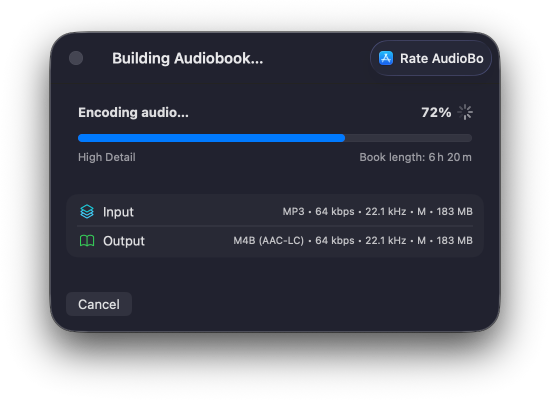
Faster than typical converters, every single time
📱 Outputs audiobooks for every Apple device
🎛️ Advanced controls for those who want full precision

Recommended by tech media

See AudioBo in Action

Watch how AudioBo binds a messy folder of audio files into a clean, Apple-ready M4B audiobook — chapters, metadata, cover, and all.

Switching from another audiobook builder? See how AudioBo compares to Audiobook Builder and the classic Audiobook Binder.

Why M4B Matters for Audiobooks

A proper M4B container is what makes an audiobook truly "native" on Apple devices. If you just wrap MP3s without real chapter data or correct atoms, you get the usual mess: flaky playback, lost progress, and files drifting into the Music app instead of showing up where they belong in the Audiobooks section of Apple Books.

And unfortunately, that's exactly how many converters still work today.

Feature
MP3 Files
Fake M4B
Proper M4B
Container format
Always MP3 (no container metadata)
⚠️ M4A disguised as M4B (major_brand=M4A)
True M4B container (major_brand=M4B)
Chapters
Not supported
⚠️ QT only (no Nero)
QT + Nero
Resume position
Often missing
⚠️ Unstable
Always saved
Metadata
Fragmented
⚠️ Minimal
Complete & structured
Device routing
Lands in Music
⚠️ Unpredictable
Lands in Audiobooks
CarPlay
⚠️ Limited
⚠️ No proper chapters
Full integration
iPod Classic
⚠️ Buggy
No chapters
Fully compatible

AudioBo builds real M4B containers from the ground up, writing both QuickTime (chap) and Nero (chpl) atoms to keep everything compatible. That way Apple Books, CarPlay, and even older iPods recognize the output as an actual audiobook — not a generic audio file wearing a different extension.

What Makes
AudioBo Unique

Before AudioBo, creating a proper M4B on the Mac meant dealing with outdated utilities, half-working Windows ports, or command-line scripts — nothing that felt native or reliable. And most tools didn't produce real M4B files at all: they reused an M4A container with no proper chapters, incomplete metadata, and resume points that often failed.

With AudioBo, creating proper audiobooks finally works the way it should.

No Limits

No Forced Splitting

Make one audiobook file — whether it's 20 minutes or 20 hours. AudioBo doesn't make you chop things up just to satisfy arbitrary limits.

No Re-Encoding

Edit Without Re-Encoding

Fix metadata or swap cover art without re-processing the audio. Faster, and it doesn't touch the sound.

Good Chapters

Proper Chapters

AudioBo writes chapters in both QuickTime and Nero formats, so they show up reliably in Apple Books and elsewhere.

Batch

Batch Chapter Cleanup

Clean up a messy chapter list in one go: normalize titles, fix ordering, remove junk entries, and keep everything consistent.

Export

Export Beyond M4B

Need something that "just plays" everywhere? Export to M4A or MP3 for picky players, old car stereos, and non-Apple setups.

External Chapters

Bring Your Own Chapters

Already have chapters? Import them from a CUE file or a simple timestamped text file. Easy to write, easy to tweak, easy to try again.

macOS Sequoia macOS Sonoma macOS Ventura

Made Just for Mac

Beautiful, familiar design. Drag and drop, instant previews, native controls — it works exactly how a Mac app should.

Simple

Smart, Not Complicated

AudioBo analyzes your files and applies the best settings automatically. No guessing, no mistakes — just a clean audiobook.

iPod

Perfect everywhere

Export once, enjoy everywhere. Audiobooks created with AudioBo work perfectly in Apple Books, CarPlay, and yes — even classic iPods.

Swift

Fast. Quiet. Optimized.

Built for Apple Silicon and Intel Macs. Encodes quickly, stays responsive, doesn't drain your battery.

Privacy

Private by Design

Everything happens on your Mac. Nothing is uploaded, logged, or tracked. Your files stay yours.

Accessibility

Accessibility-Ready

Respects your system preferences — including Reduce Motion, Contrast, Dynamic Text and Keyboard Control.

How Your Audiobook
Comes Together

You drop the files.
AudioBo handles the heavy lifting.

New
Try the demo →

Fetch Metadata and Chapters from Audible and Apple Books

Got an audiobook that came in broken, unlabeled, or as one giant file? AudioBo can now fetch metadata from sources like Audible, Apple Books, and Google Books, pull in cover art and book details, and recover chapter titles when they're available — so a messy import can turn into a properly structured audiobook without a bunch of manual cleanup.

Read the full post on the blog →

In this demo, I take a broken copy of Atomic Habits that starts out as one long file with no useful structure, then use AudioBo's Fetch Metadata feature to pull in book details and chapter data so it ends up looking like a proper audiobook instead of a random blob of audio.

Turn Sidecar Files Into Real Chapters

Got an audiobook that's one giant file but you do have timestamps or chapter notes somewhere? Drop in a simple sidecar text file next to the audio, and AudioBo can turn it into real chapters automatically — so you can go from one long blob to a properly structured audiobook without splitting files by hand.

Read the full post on the blog →

This demo shows how a single long audiobook file can become a clean, chaptered book just by adding a simple sidecar file with timestamps — no manual splitting, no detours through audio editors.

Try a Sample Audiobook

35 chapters, full metadata, cover art — see what a proper M4B looks like. Try the book from the demo above.

Treasure Island Cover

Treasure Island

by Robert Louis Stevenson

Duration 6h 20m
Chapters 35
Format M4B
Size 176 MB
Download M4B

Source: LibriVox Dramatic Reading — Public domain audio, free to use and share.

AudioBo vs Legacy Tools

Audiobook creation on macOS often means choosing between legacy apps and command-line tools. AudioBo bridges that gap with a modern, native approach.

Criterion
AudioBo
Audiobook Builder 2
Console tools
Modern native macOS interface
Native SwiftUI app
Legacy UI
Terminal only
No limits on audiobook length
No duration limits
Max ~13 hours
No limits
Protection against bloated or broken exports
Built-in safe export heuristics
Easy to misconfigure
Smart transcoding (no re-encode unless required)
Re-encodes only when necessary
Always re-encodes
⚠️ Manual control
Full Apple-standard metadata (including sort tags)
Complete Apple metadata support
⚠️ Partial
⚠️ Manual, error-prone
Automatic metadata import from source files
Cover, book, author, series auto-detected
Manual setup
Manual scripting
Fetch metadata & chapters from the internet
Audible, Apple Books, Google Books, MusicBrainz
Undo / Redo while editing
Handling corrupted or messy source files
Robust import handling
⚠️
Often fails
Active development
Actively maintained
⚠️ Fragmented tools
Complexity of use
Easy
⚠️ Medium
Very high
Price
$9.99
$9.99
Free

AudioBo is built for modern macOS users who want correct M4B audiobooks, full Apple metadata, and zero surprises — without limits, scripting, or manual cleanup.

The Story Behind AudioBo

AudioBo didn't begin as a product. It started with a simple change in how I read. When rolling power outages in Ukraine made evening reading unreliable, I shifted to audiobooks. And to save whatever battery my iPhone had left, I often listened on a vintage iPod Classic instead.

That's when the real problem showed up: many of my public-domain or previously purchased audiobooks existed only as loose MP3 files. No chapters. No resume position. Broken metadata, random folders — and on Apple devices they appeared in the Music app instead of showing up as proper audiobooks in Apple Books on iPhone, Mac and my iPod Classic.

The tools available back then didn't help much. Most converters felt dated or overly technical, and a few expected you to touch Terminal. None of them felt like something made for the Mac. Eventually I realized I simply wanted a small, native tool that stayed out of the way — so I built it.

I've been a Mac user for more than 15 years, and I've always appreciated apps that feel calm and respectful. That idea shaped AudioBo from the start: let the app handle the technical details, and let the user stay focused on their books.

My favorite part is its export intelligence. AudioBo analyzes the source files, picks sensible settings automatically, and can split long books into seamless parts so that Apple Books — and even classic iPods — treat them as one complete audiobook. And for people who like control, there's an Advanced panel with deeper options that stays quietly in the background unless you need it.

In the end, AudioBo became the tool I wanted for myself: a lightweight, privacy-respecting Mac app with no tracking, no subscriptions, and no fuss — built to make personal audiobooks behave the way they should.

The Team Behind AudioBo

Vlad

Vlad

Orso

Orso

What users think
about AudioBo

4.9 ★★★★★

197 App Store ratings across all countries · 84 written reviews

★★★★★ 🇦🇺

Awesome app + super-responsive indie dev

I've been using AudioBo to convert a stack of old CD rip MP3 audiobooks into properly structured M4B files with chapters, and it's been genuinely excellent. The interface is clean and intuitive: drag files in, and it handles metadata, chapter structure, and encoding without any fuss. …

— ajmaus, App Store AU
★★★★★ 🇺🇸

Current Gold Standard of Audiobook Converters on App Store

Now this is a proper audiobook creation tool. It reliably sorts audiobook files (but you can override that); it finds metadata for imported books (which you can control); and it turns out well-designed single or split audiobooks to your specific specifications. Add to all of that the quick response times of the dev and you have a winning solution. Save yourself time. Buy this now.

— AricP, App Store US
★★★★★ 🇨🇦

Unbelievably Good

Kudos to the developer - he crushed it. The app has a simple interface, intuitive UX, and powerful features like matching source files to books, automatically structuring the book properly, updating the cover, and so much more. I used Audiobook Builder 2 for years, and this is easily 10x better.

— adammcnamara, App Store CA
★★★★★ 🇨🇿

The perfect audiobook builder! (10/10)

This app is absolutely fantastic, beautiful, and so easy to use. It has completely transformed my messy audiobook collection into a perfectly organized library. Creating M4B files is now a breeze, and I love all the smart features it offers. On top of that, the developer's support is incredible. I had a quick technical question regarding some of my older, weirdly formatted files, and Vlad replied and helped me out within hours. It’s rare to see such dedication. If I could give it 10 stars, I would! Highly recommended.

— MrPavelr, App Store CZ
★★★★★ 🇺🇸

Beats the others!

Been using a competitor's software for years and I thought it was the best available until I found this software! VERY easy to use and the developer is responsive to suggestions and feature requests. Worth every penny!

— ih8quark, App Store US
★★★★★ 🇬🇧

Finally Found Exactly What I Was Looking For

It’s taken me a long time to find an app like AudioBo, and honestly, it’s perfect. It does exactly what I need it to do without any unnecessary complications. If you’re on the fence about buying it, don’t be. Just get it. It’s incredibly easy to use, works exactly as advertised, and has made creating audiobooks so much easier for me. Genuinely one of those rare apps that delivers on its promise. Well, well, well worth the purchase. A big shout-out to the creator for making such a fantastic app!

— FKDJESM, App Store GB
★★★★★ 🇺🇸

Huge time saver

I was prepared to convert my library to m4b manually with ffmpeg but thankfully AudioBo is here to save the day. This thing is crazy quick on my MacBook. The matching to metadata and letting me edit the chapter list is also very handy, easy, and fast.

— fuzzbawl, App Store US
★★★★★ 🇺🇸

YES!!

As others have said, this is EXACTLY what I’ve been waiting for! This makes converting files so much easier: a Calibre for audiobooks. Thank you for not only creating a wonderful app, but making it a one-time purchase rather than a subscription (I wouldn’t have bought it otherwise). A very useful tool at a fair price! …

— Computus, App Store US
★★★★★ 🇨🇦

Wow!

Don’t have much to add on the other reviews here. This app just does what it says better than I had even hoped. Finally got to say goodbye to the wacky stack of scripts and scrapers I was using before to manage my audiobooks. I truly threw some really messed up folders at it and it fixed them up perfectly, with new chapter markers, metadate and cover art. Well done!

— christopherwulff, App Store CA

Read all 84 reviews →

AudioBo

Turn audio chaos into
Perfect Audiobooks

$9.99

Fast, simple, and built
for your Mac.

Download on the Mac App Store
Download Demo 1.3.9

60-minute export limit

💰 One-time purchase.
No subscriptions.
Full VoiceOver and
accessibility support.
💻 macOS 14.6+
Apple Silicon & Intel.