AudioBo is an audiobook tool for Mac that helps you fix chapters, edit metadata, fetch book details online, and build proper audiobooks for Apple Books, classic iPods, and beyond.
Watch how AudioBo turns a messy folder of audio files into a clean, Apple-ready M4B audiobook — chapters, metadata, cover, and all.
A proper M4B container is what makes an audiobook truly "native" on Apple devices. If you just wrap MP3s without real chapter data or correct atoms, you get the usual mess: flaky playback, lost progress, and files drifting into the Music app instead of showing up where they belong in the Audiobooks section of Apple Books.
And unfortunately, that's exactly how many converters still work today.
major_brand=M4A) major_brand=M4B)
AudioBo builds real M4B containers from the ground up, writing both QuickTime (chap) and Nero (chpl) atoms to keep everything compatible. That way Apple Books, CarPlay, and even older iPods recognize the output as an actual audiobook — not a generic audio file wearing a different extension.
Before AudioBo, creating a proper M4B on the Mac meant dealing with outdated utilities, half-working Windows ports, or command-line scripts — nothing that felt native or reliable. And most tools didn't produce real M4B files at all: they reused an M4A container with no proper chapters, incomplete metadata, and resume points that often failed.
With AudioBo, creating proper audiobooks finally works the way it should.
Make one audiobook file — whether it's 20 minutes or 20 hours. AudioBo doesn't make you chop things up just to satisfy arbitrary limits.
Fix metadata or swap cover art without re-processing the audio. Faster, and it doesn't touch the sound.
AudioBo writes chapters in both QuickTime and Nero formats, so they show up reliably in Apple Books and elsewhere.
Clean up a messy chapter list in one go: normalize titles, fix ordering, remove junk entries, and keep everything consistent.
Need something that "just plays" everywhere? Export to M4A or MP3 for picky players, old car stereos, and non-Apple setups.
Already have chapters? Import them from a CUE file or a simple timestamped text file. Easy to write, easy to tweak, easy to try again.
Beautiful, familiar design. Drag and drop, instant previews, native controls — it works exactly how a Mac app should.
AudioBo analyzes your files and applies the best settings automatically. No guessing, no mistakes — just a clean audiobook.
Export once, enjoy everywhere. Audiobooks created with AudioBo work perfectly in Apple Books, CarPlay, and yes — even classic iPods.
Built for Apple Silicon and Intel Macs. Encodes quickly, stays responsive, doesn't drain your battery.
Everything happens on your Mac. Nothing is uploaded, logged, or tracked. Your files stay yours.
Respects your system preferences — including Reduce Motion, Contrast, Dynamic Text and Keyboard Control.
You drop the files.
AudioBo handles the heavy lifting.
Just drag your audio files into AudioBo to get started.
Supported formats:
MP3 · AAC · M4A · M4B · AIFF · WAV
FLAC · Ogg Vorbis · Opus · WMA · APE · WavPack
Expected outcome:
• Chapters are ordered correctly
• Text encoding issues are fixed
• Book metadata is filled in automatically
AudioBo automatically reads all available metadata from your source files, so most fields are already filled in.
You can review everything, edit any value, or add missing information.
Arrange tracks in the correct order, rename and merge chapters. Fine-tune the structure until everything feels right.
Or use bulk editing tools to clean up chapter titles and rename multiple files at once.
Select a ready-made preset or manually configure bitrate, codec, or sample rate. AudioBo uses built-in export heuristics to prevent invalid or incompatible settings based on your source files.
Use the "Vintage devices (iPod)" preset to optimize audiobooks for legacy players. AudioBo automatically chooses the best export settings, applies the correct cover size, and splits long books into parts when needed.
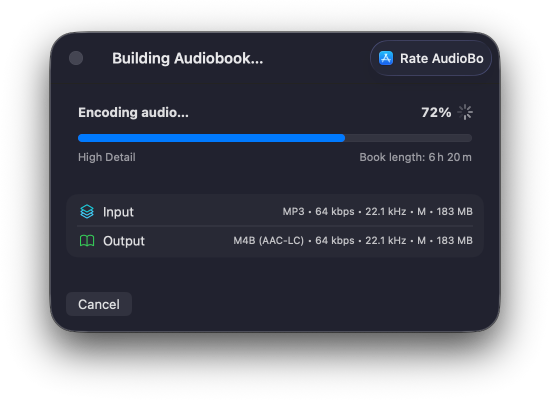
Export a ready-to-use M4B file with chapters and metadata.
The export process is optimized for maximum performance on Apple Silicon, fully utilizing available performance cores for fast, efficient processing.
That's it — you now have a clean, standards-compliant M4B audiobook.
Proper container, correct chapters, and complete metadata — ready to play reliably across all your favorite devices.
Works on:
macOS · iOS · Windows · Android · Linux
Got an audiobook that came in broken, unlabeled, or as one giant file? AudioBo can now fetch metadata from sources like Audible, Apple Books, and Google Books, pull in cover art and book details, and recover chapter titles when they're available — so a messy import can turn into a properly structured audiobook without a bunch of manual cleanup.
In this demo, I take a broken copy of Atomic Habits that starts out as one long file with no useful structure, then use AudioBo's Fetch Metadata feature to pull in book details and chapter data so it ends up looking like a proper audiobook instead of a random blob of audio.
Got an audiobook that's one giant file but you do have timestamps or chapter notes somewhere? Drop in a simple sidecar text file next to the audio, and AudioBo can turn it into real chapters automatically — so you can go from one long blob to a properly structured audiobook without splitting files by hand.
This demo shows how a single long audiobook file can become a clean, chaptered book just by adding a simple sidecar file with timestamps — no manual splitting, no detours through audio editors.
35 chapters, full metadata, cover art — see what a proper M4B looks like. Try the book from the demo above.
by Robert Louis Stevenson
Source: LibriVox Dramatic Reading — Public domain audio, free to use and share.
Audiobook creation on macOS often means choosing between legacy apps and command-line tools. AudioBo bridges that gap with a modern, native approach.
AudioBo is built for modern macOS users who want correct M4B audiobooks, full Apple metadata, and zero surprises — without limits, scripting, or manual cleanup.
AudioBo didn't begin as a product. It started with a simple change in how I read. When rolling power outages in Ukraine made evening reading unreliable, I shifted to audiobooks. And to save whatever battery my iPhone had left, I often listened on a vintage iPod Classic instead.
That's when the real problem showed up: many of my public-domain or previously purchased audiobooks existed only as loose MP3 files. No chapters. No resume position. Broken metadata, random folders — and on Apple devices they appeared in the Music app instead of showing up as proper audiobooks in Apple Books on iPhone, Mac and my iPod Classic.
The tools available back then didn't help much. Most converters felt dated or overly technical, and a few expected you to touch Terminal. None of them felt like something made for the Mac. Eventually I realized I simply wanted a small, native tool that stayed out of the way — so I built it.
I've been a Mac user for more than 15 years, and I've always appreciated apps that feel calm and respectful. That idea shaped AudioBo from the start: let the app handle the technical details, and let the user stay focused on their books.
My favorite part is its export intelligence. AudioBo analyzes the source files, picks sensible settings automatically, and can split long books into seamless parts so that Apple Books — and even classic iPods — treat them as one complete audiobook. And for people who like control, there's an Advanced panel with deeper options that stays quietly in the background unless you need it.
In the end, AudioBo became the tool I wanted for myself: a lightweight, privacy-respecting Mac app with no tracking, no subscriptions, and no fuss — built to make personal audiobooks behave the way they should.
Stories from people who
use AudioBo every day.
Great with online audiobook downloadsFor reasons I've not understood, some of the otherwise great online sources for audiobooks supply them in multiple small files and troublesome formats. That makes playing them through Overcast a nuisance. This app not only combines them into a standard audiobook format with all the bells and whistles, it does so with smooth, flexible and powerful controls and frequent updates. I cannot recommend this more highly. I only wish I could give it six stars rather than five.
SuperbFive stars isn't enough for AudioBo - or for the developer behind it.
The app itself is exactly what Mac users have needed for years: a proper, native audiobook builder that actually does the job right. Clean interface, smart defaults, and loads of options to make it work in the way you want. Converting and updating my audiobook library was a joy.
But what's really set AudioBo apart for me is the developer. I reported several bugs and had a personal, thoughtful response within hours - not a boilerplate acknowledgement, an actual reply. The fixes followed shortly after. I've also seen feature requests I raised turn up in updates within days. This isn't a developer who shipped and vanished; this is someone who clearly cares about making their app genuinely excellent.
This is an app and a developer well worth paying for.
Finally Fixed My Messy Audiobook LibraryI've been struggling with a messy audiobook library for a long time. Most of my books were split into multiple parts or stuck as long MP3 files with no chapters. I tried command line tools like ffmpeg, but it quickly became frustrating and error-prone. AudioBo solved this cleanly. I was able to take split M4B files and merge them into a single file with proper chapters. Even better, it can match real chapter data to the audiobook and rebuild the structure automatically. That alone saved me hours of manual work. It also handles long audiobooks without splitting them, which is something a lot of other tools fail at. What I like most is that it turns a messy library into a clean, consistent system: one book, one file, proper chapters, and everything works perfectly in Audiobookshelf. It's simple, fast, and actually built for audiobook workflows instead of general audio conversion. If you care about organizing your audiobook collection properly, this tool is worth it.
An Outstanding App to Build Audiobooks!I have used a couple of apps in the past, which worked, but they were slow and lacked the functionality of AudioBo. One of the features most appreciated is the ability to retrieve and modify meta data for books. I also truly appreciate the speed for the process of building the books. I used AudioBo to build a large book for a guitar course and it did an outstanding job. I also appreciate that the developer has made the app accessible for users with various disabilities. I highly recommend AudioBo.
Totally worth itI really like how it instantly turn my messy audio files into chaptered audiobooks that remember my playback position which is great for organizing my library.
YES!!As others have said, this is EXACTLY what I've been waiting for! This makes converting files so much easier: a Calibre for audiobooks. Thank you for not only creating a wonderful app, but making it a one-time purchase rather than a subscription (I wouldn't have bought it otherwise). A very useful tool at a fair price! A future feature request would be to allow for a multiple process queue so several books could be batch converted unattended.
Outstanding!An amazing app with the function to search for chapter divisions and apply to files with messed up or no divisions to start with. As long as the total duration of the original file matches versions available on sites like Audible, the app does the rest with the click of a button. Perfect for transferring old recorded books from CDs or single MP3 files into audiobooks with chapters.
Best app to create AudiobooksBest app to create audiobooks wihtout any limitations. Very easy to use and far ahead of any competitors.
Great M4B Multi-toolDoes what's required, without unnecessary complication... Very responsive developer, pushing frequent useful updates.
Excellent, reliable audiobook creatorI was a little worried about giving this app a go since there weren't that many reviews, but I'm so glad I took a chance on it! It's a workhorse! It is intuitively built and thus very easy to use, and can handle very large audiobooks and small audiobooks alike. It's surprisingly speedy and the options for audio quality are excellent. This is the audiobook creator to use, and well worth the money.
Works WellShout to Vlad, after audiobookbinder stopped working I was in desperate search of a new binder. Everything works well and is quick and smooth, I really appreciate that the dev is active and constantly improving.
Very nice audiobook toolI bought the app today and tested it after using AudioBookBinder for years. It is truly fantastic — you can enter much more information than with the competition, and when I had questions, the developer replied within minutes. Top-notch support, top-tier app; the developer is also very open to ideas for future features.
Incredible ToolThis tool is absolutely incredible. I don't mind using CLI tools for tasks, but the convenience and flexibility of this app, including the ability to simply update M4B metadata is incredible.
Great Audiobook authoring toolOnce in a while I spend a bit of time sorting out my old audiobooks in MP3 format and AudioCDs and converting them into proper audiobook files. I've normally used Audiobook Builder (ABB) but that hasn't been updated in a while and even though it still works, it looks very dated. AudioBo got a lot of inspiration from ABB but has a modern look and feel and some nice comfort features.
Best Audiobook ToolI tried quite a few different audiobook tools/converters, and this is easily the best. The recommendation you'll see most on Reddit and the like is AudiobookBuilder, but it has very short length limits that force you to output multiple part files. AudioBo is far and away the better option.
Unbelievably GoodKudos to the developer - he crushed it. The app has a simple interface, intuitive UX, and powerful features like matching source files to books, automatically structuring the book properly, updating the cover, and so much more. I used Audiobook Builder 2 for years, and this is easily 10x better.
Designed for a global audience of audiobook creators.
Switch the interface language right in the app — changes apply instantly.
AudioBo works with audiobooks in any language regardless of the selected localization.