May 17, 2026 • Vladyslav Gorokhovskyi • 5 min read
AudioBo: Clean Up Chapter Titles With On-Device Apple Intelligence
You import an audio files into AudioBo. Everything’s fine until you look at the chapter list and it’s… not fine.
01 - chapter one.mp3
02_chapter two
03. CHAPTER THREE – the long one
04-mrs rachel lynde is surprised
If you’re lucky, Fetch Metadata pulls a clean list from Audible or Apple Books and you’re done. If you’re not lucky (wrong edition, no match, your rip doesn’t line up), you’re back to the usual joy: thirty titles, by hand, fixing capitalization, punctuation, dashes, quotes, prefixes, extensions, and whatever creative decisions your files inherited over the years.
That exact cleanup pass is why Enhance with AI exists.
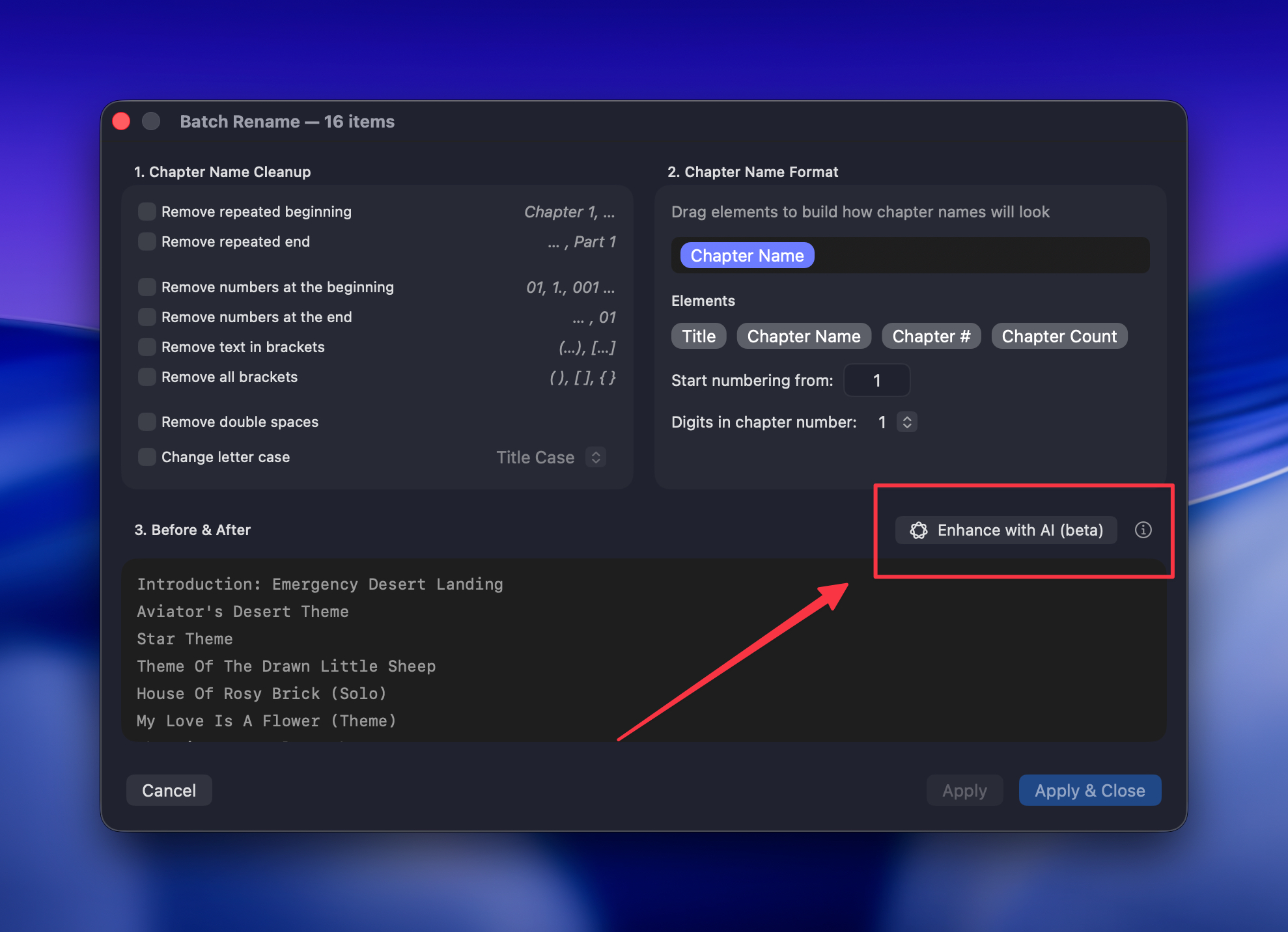
What Enhance with AI Actually Does
It’s one button in Batch Rename. Click it and AudioBo sends your current chapter titles to Apple’s on-device model, gets back cleaned versions, and shows them side-by-side so you can review before committing.
Important: this is not “rewrite my book.” It’s “please make this list look like it was made by a human.”
Specifically, it fixes:
- Capitalization — proper Title Case in English, German noun-capitalization, sentence case where that’s the norm
- Punctuation and quotes — straight quotes become typographic quotes; Spanish gets proper
¿and¡when appropriate - Dashes —
--and sloppy-separators become a real em dash—; hyphens inside words stay hyphens - Ampersands —
&becomes “and” / “und” / “y” / “et” / “e”, except where it’s clearly part of a name likeBlack & Decker - Filename noise — track-number prefixes, file extensions, and escape junk get stripped
It Runs On Your Mac
Enhance with AI uses Apple Intelligence — the on-device model in macOS — and runs locally on Apple Silicon. No cloud calls.
In practice:
- Nothing leaves your Mac.
- No internet required. Works offline.
- No account, no API key, no subscription.
- No per-token costs because there’s no server involved.
You’re not uploading your audiobook to a server farm. You’re asking the model already on your machine to handle a formatting chore.
What You Need
The button is enabled only if all of these are true:
- macOS 26 Tahoe or later (Foundation Models are macOS 26+)
- Apple Silicon (M1 or newer) (no Intel support)
- Apple Intelligence enabled in System Settings
If something’s missing, AudioBo disables the button and the ⓘ next to it tells you why (and links you to the right Settings pane when relevant).
What It Will Not Do
Also on purpose:
- No translation
- No summarizing, rewriting, or inventing
- No guessing missing chapter numbers
- No merging/splitting/reordering — same count in, same count out, same order
If the model isn’t sure, it’s instructed to leave the title alone.
Which Languages Work
AudioBo detects the book’s language automatically and only enables the button for languages Apple’s on-device model supports:
Supported: English, German, French, Italian, Spanish, Portuguese, Japanese, Korean, Simplified Chinese.
Not supported (yet): Turkish, Polish, Russian and others. When Apple adds more languages, AudioBo picks that up automatically.
How to Use It
- Import your audiobook into AudioBo
- Open Batch Rename (select all chapters and press Return)
- (Optional) Adjust your usual cleanup options
- Click Enhance with AI (Beta)
- Review the side-by-side changes
- Click Apply (or Apply & Close) — or bail out if you don’t like the result
It’s an overlay until you save. Nothing gets overwritten behind your back. And it sits neatly in the existing pipeline (between Cleanup and Format Template), so templates still apply afterward.
Before and After
A few real-world examples:
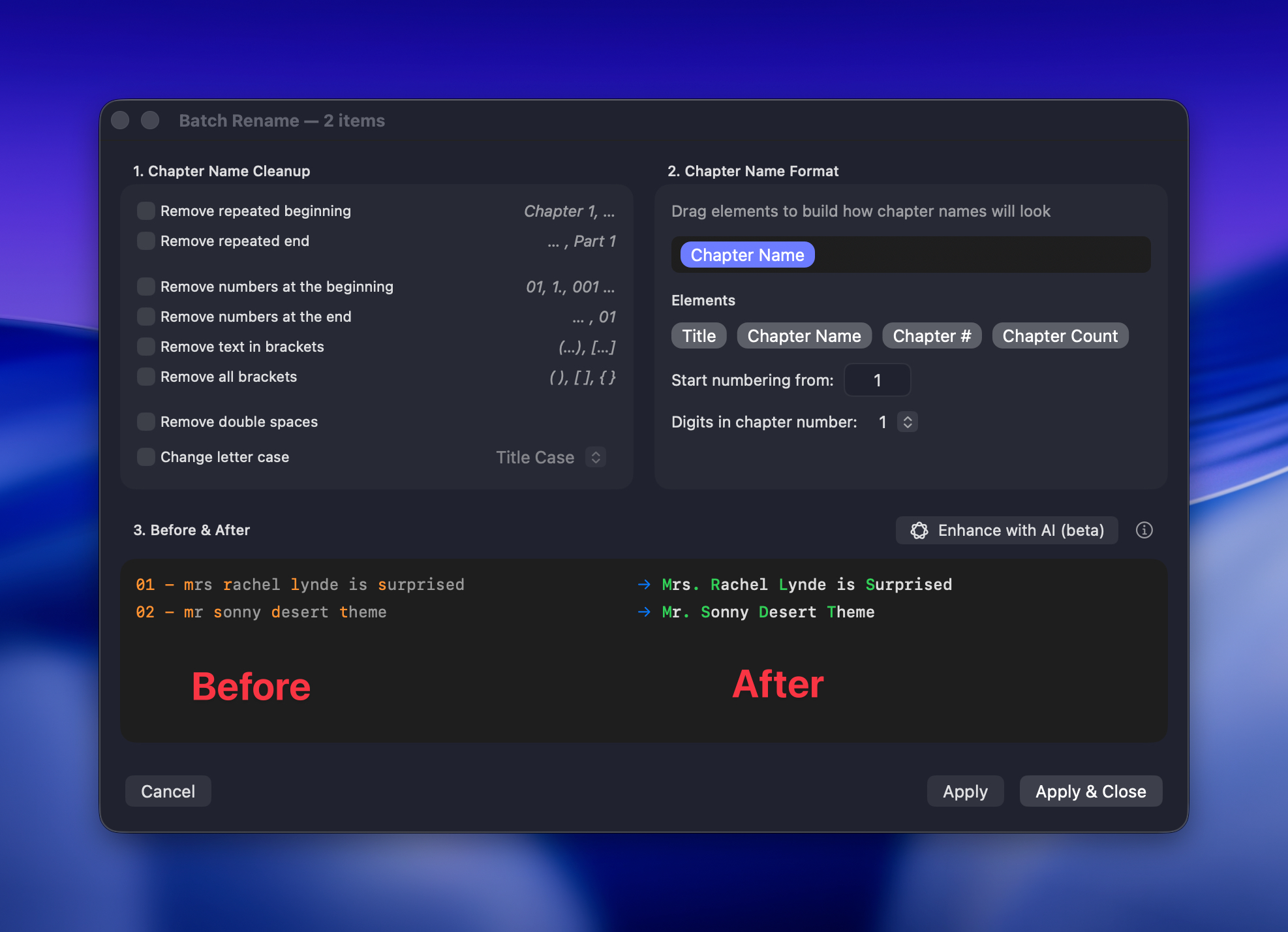
English
- Before:
01 - mrs rachel lynde is surprised.mp3 - After:
Mrs. Rachel Lynde is Surprised
German
- Before:
kapitel 2 -- der hund bellt im garten - After:
Kapitel 2 — Der Hund bellt im Garten
Spanish
- Before:
cap.3 como estas don quijote? - After:
Capítulo 3 — ¿Cómo estás don Quijote?
Line-by-line, it looks minor. Across an entire book, it’s the difference between “done” and “ugh.”
Why It Says “(beta)”
Foundation Models are new in macOS 26, and the on-device model is necessarily smaller than big cloud models. It sometimes misses a rule. Sometimes it chooses a style you wouldn’t. Language support is still limited.
The upside is that this stuff tends to get better with each macOS release — and when Apple improves the model, AudioBo benefits automatically.
So think of Enhance with AI as a fast first draft: it saves you most of the typing; you handle the last bit.
Tips
- Try Fetch Metadata first. If it finds your edition with proper chapters, that’s the best result you can get
- Do your normal cleanup options first. The model works on whatever cleaned text you’ve prepared
- Use the side-by-side diff. Don’t apply blindly
- Re-run it. It’s local; trying again costs you basically nothing
FAQ
Do my chapter titles get uploaded somewhere? No. It runs entirely on your Mac using Apple Intelligence.
Do I need internet? No. Once the model is on your Mac, the feature works offline.
Why is the button greyed out? You’re on macOS older than 26, you’re on an Intel Mac, or Apple Intelligence is turned off. The ⓘ explains which.
Why doesn’t it work for Russian / Ukrainian / Turkish books? Those languages aren’t supported by Apple’s model yet, and AudioBo refuses to pretend otherwise.
Will it translate to English? No.
Will it invent or remove chapters? No. Same number in, same number out, same order.
Does it cost anything? No.
Try It Yourself
If your chapter list looks like a pile of filenames that’s been through three operating systems and two decades of bad habits, try Enhance with AI. Worst case, you ignore the result. Best case, you save half an hour of mindless editing and your book looks finished.
Buy AudioBo on the Mac App Store — one-time purchase, no subscription, includes everything above.
Or grab the free demo from orsolabs.dev and try it on the next messy import.