Does a Mac Have White Noise? Background Sounds, Brown Noise, and the Loop You Can Hear
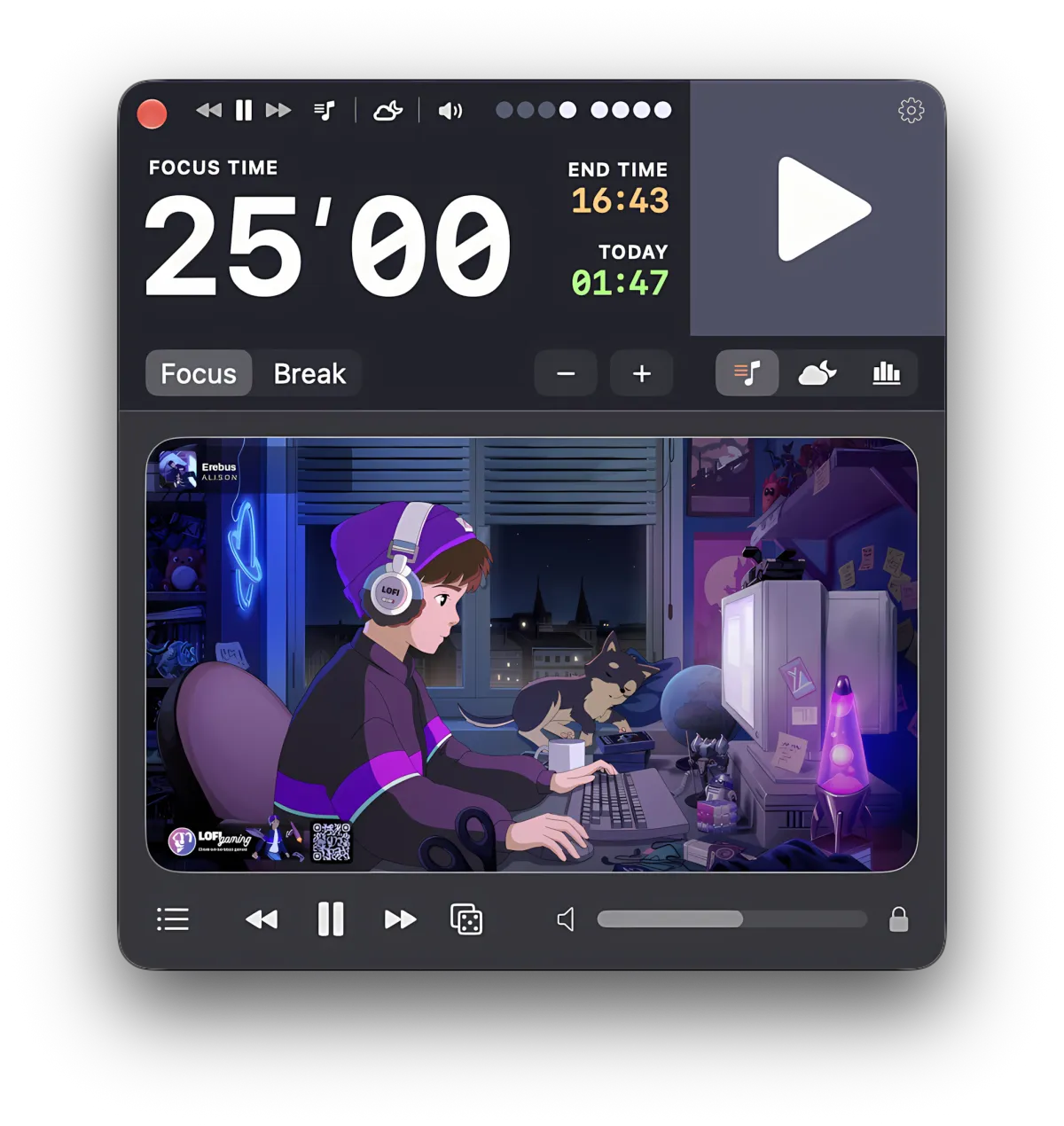
You wanted brown noise for an hour of work, searched for an app, and found a wall of App Store cards. Many of them loop a short file; others charge a subscription for rain. What none of them mentions is that a Mac already has white, pink, and brown noise built in, under a name you would never search for and a settings pane you would never open.
Focusito is a pomodoro timer with its own sound layer, and its three noises are generated while they play rather than looped from a file. That matters for the seam you can hear on hour three, and for the break, which a separate noise app knows nothing about. The page below covers the built-in feature first: what it can do, what it cannot, what the three colors of noise are, and one command that shows how Apple labels them.
Yes, your Mac has white, pink, and brown noise built in. Apple calls the feature Background Sounds, keeps it under Accessibility, and names the three noises Bright, Balanced, and Dark. It also has rain, ocean, a stream, fire, and a handful of others, plus a volume control and, on recent macOS, an equalizer and a stop timer.
Two things it does not do. It plays one sound at a time, so there is no rain under your brown noise. And it has no idea you are running a focus timer: the noise plays straight through your break, and the timer's bell has to fight it.
For noise for an hour, the built-in feature is enough, and it is free. The rest of this page is for when it is not.

A noise app and a focus timer that do not know about each other is the whole problem. Focusito keeps both in one window: white, pink, and brown noise are calculated as they play, so there is no file and no loop seam, and you can mix several sounds with a volume for each. Once you turn on follow-the-timer, the sound starts with the session, fades out over the last ten seconds, and stays quiet through the break.
Only the three noises and the binaural beat are generated; the other twelve sounds are recorded loops, from about twelve seconds to just under four minutes long. After the trial, three sounds stay free: White Noise, Clock, and Fall Rain. Pink and brown noise are paid, and nothing in the app adapts to you, your heart rate, or the time of day.
Your Mac already has three colors of noise
Open System Settings, click Accessibility, then Audio, and scroll to Background Sounds. Turn it on and click Choose. Apple’s support article on the feature describes four controls beyond the picker: a volume slider, an equalizer you drag around a grid, a timer with a Set Timer pop-up, and an option that turns the sound off when the Mac sleeps, the screen saver starts, or the screen locks. Apple’s support note on the feature says the equalizer and the timer need macOS Tahoe or later. The article does not say how many sounds there are or whether two can play together.
The feature reached the Mac with Ventura. The catalog file macOS keeps for it on my Mac is dated 24 October 2022, the day Ventura shipped, and listed six sounds: WhiteNoise, PinkNoise, BrownNoise, Ocean, Rain, and Stream. Newer versions carry more. A developer who built a mixer on top of Apple’s files wrote on 4 October 2026 that “macOS comes with 16 Background Sounds, from Balanced Noise to Rain on Roof.” The strings file on my Mac carries seventeen sound names, one of them a bare “Noise”, which is close, but that file is shared across Apple’s platforms and is not proof of what your Settings pane shows. Count your own list.
Check how Apple labels the noises yourself. The noise names in Settings are not the names of the colors, and the mapping is one command away. It reads a system file, needs no sudo, and touches nothing of yours:
plutil -p "/System/Library/PrivateFrameworks/HearingUtilities.framework/\
Versions/A/Resources/HearingAidSupport.loctable" | grep 'ComfortSound_'
The English section on my Mac includes these three lines among the seventeen:
"ComfortSound_WhiteNoise" => "Bright Noise"
"ComfortSound_PinkNoise"  => "Balanced Noise"
"ComfortSound_BrownNoise" => "Dark Noise"
So Bright is what Apple keys as white, Balanced as pink, and Dark as brown. That is a fact about Apple’s naming, not about the signal. The same plutil -p also reads the index of downloadable sound packs at /System/Library/AssetsV2/com_apple_MobileAsset_ComfortSoundsAssets/com_apple_MobileAsset_ComfortSoundsAssets.xml, which on my Mac still carries the 2022 list of six. The audio itself is not in that folder, so I cannot tell you from disk how long the files are.
What white, pink, and brown noise actually are
The three colors are the same idea with the energy tilted differently across the frequency range, and the tilt is what you hear as hissy, even, or deep.
White noise spreads its energy equally across every hertz. Each octave upward covers twice as many hertz as the one below, so the top octaves carry far more energy than the bottom ones. That is the hiss, and why many people turn it down within a minute.
Pink noise drops by about 3 dB per octave, which is exactly enough to give every octave the same total energy. It sounds even to a human ear, and it is usually what people wanted when they asked for white noise. Apple calling it Balanced is fair.
Brown noise drops by about 6 dB per octave, twice the slope of pink. The treble is nearly gone and the low end dominates: the rumble people describe as a waterfall heard from inside a car. Mathematically it is white noise integrated, a running sum of random steps, and that sum wanders without limit unless the generator leaks a little away. An honest brown noise generator therefore flattens the very bottom of its spectrum, which also keeps infrasound away from laptop speakers that cannot reproduce it anyway.
Where the seam in a noise loop comes from
A noise file is a recording of a few minutes of random numbers. When it ends, the player jumps back to the start, and two things happen at once: the waveform takes a step it would never take on its own, which can click, and the texture restarts from the same place at the same interval for as long as you listen. The click can be hidden with a crossfade. The repeat cannot, and after a couple of hours your ear has learned the period.
Apple’s sounds come as downloads, which points to files, and the developer quoted above says so outright: “Apple ships each sound as a set of audio files, 1 to 2.5 minutes long,” and the mixer “picks one at random and crossfades into the next over 4 seconds, so the sound never stops and restarts.” That is the right fix for a file-based sound.
The download sizes in the 2022 index on my Mac give a sense of what is being looped:
| Sound pack | Download size |
|---|---|
| WhiteNoise, PinkNoise, BrownNoise | about 2 MB each |
| Ocean | about 65 MB |
| Rain | about 67 MB |
| Stream | about 76 MB |
A generator has no file and no end. It calculates each sample as the audio hardware asks for it, so there is nothing to jump back to and no period to learn. A loop without a fade can click, a loop with a fade repeats, and only a generator does neither.
One sound at a time, and a timer that does not know about it
Background Sounds has a picker, and the picker holds one sound. The mixer developer says it plainly, that the sounds “play one at a time”, and the app exists because of it. If you want a clock over a stream or rain under Dark Noise, the built-in feature will not give it to you.
It does have a timer. Apple’s article lists the choices: stop after an amount of time, stop at a specific time, and an “Always use these settings” switch. Add the option that stops the sound when the Mac sleeps or locks, and for “noise for the next hour, then quiet” the free feature does everything a paid app would.
What it cannot do is the thing a focus timer needs. The noise does not start when your session starts, does not stop when the break starts, and does not step aside for the bell. Two programs with no idea the other exists, and the gap between them is where “pomodoro timer with white noise” searches come from.
Music and noise on the break
People ask whether they can listen to something during the break. With a separate noise app you cannot avoid it: the noise keeps playing, and the bell arrives on top of it or under it. Turning it down by hand at every break is the kind of chore that stops happening by Thursday.
Focusito treats the break as a mode the sound layer can respond to, but only when you ask. On a fresh install, sound is under your control and the timer never touches it. Turn on Sounds and LoFi follow the timer in Settings and the automation wakes up: the sounds you had on start with the session, fade out over the last ten seconds, and the break mutes both the sound layer and the LoFi player. The mute-on-break switch is on by default, but it does nothing until follow-the-timer is on; both halves have to agree. The LoFi player itself, a YouTube station list inside the timer window, has its own page.
When the headphones drop off
Pull a headphone jack or let Bluetooth headphones die and macOS moves audio to the built-in speakers, so whatever was private is suddenly playing to the room. Focusito pauses its sound layer and the LoFi player when the output device changes, and resumes only when the same device comes back, matched by the stable identifier macOS gives each device. Speakers, then a monitor, still count as away. To carry on through the speakers, start the sound again by hand.
What Focusito does instead
Everything above is free and needs no install. If you only want noise for an hour and nothing to change at the break, the Accessibility pane is your answer.
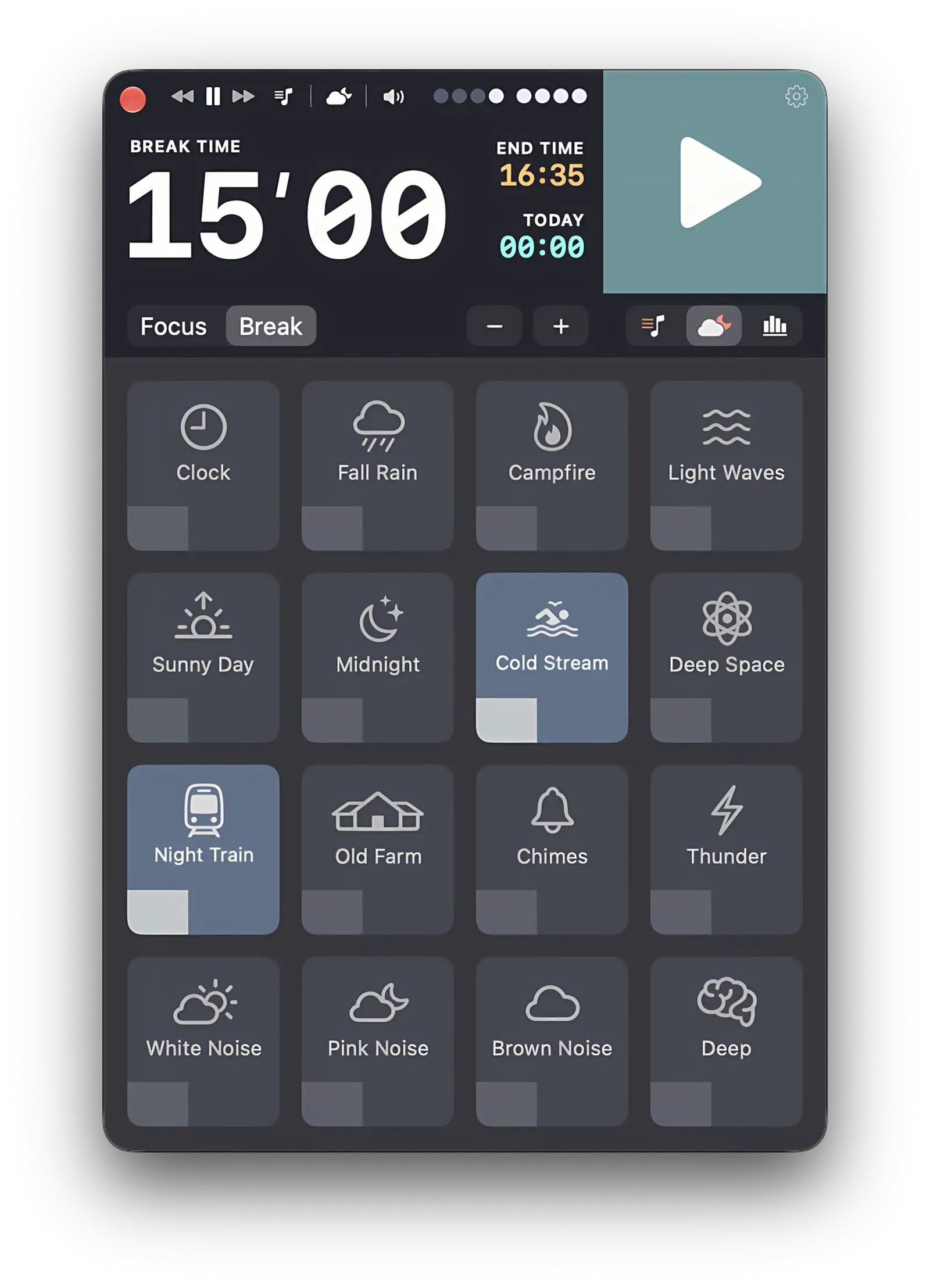
What Focusito changes is that the timer owns the sound. You pick the sounds once, any mix of its sixteen with a volume on each, and from then on the session brings them up and the break takes them away, if you have told it to. The three noises are calculated while they play, so there is no file and no seam on hour three. The time left sits in the menu bar, which has a page of its own, and the bell arrives into a room that has already gone quiet.
If you do want the mechanical version: white noise comes from two independent random generators, one per channel, because identical noise in both ears collapses to a point in the middle of your head. Pink noise is the white signal through the refined filter Paul Kellet published, which holds the 3 dB per octave slope to within a fraction of a decibel across the audible range. Brown noise is the white signal through a leaky integrator, which gives the 6 dB per octave slope and flattens the spectrum below roughly 140 Hz so the sum cannot drift. The binaural beat is a 200 Hz carrier in one ear and the carrier plus the beat frequency in the other, with presets at 6, 10, 20, and 40 Hz, and it wants headphones.
The limit, once more, because it decides whether this page was any use to you: only those three noises and the beat are generated. The other twelve sounds, from Cold Stream at about twelve and a half seconds to Light Waves at just under four minutes, are recorded files set to loop. After the trial, White Noise, Clock, and Fall Rain stay free, while Pink Noise and Brown Noise are part of the one-time purchase, and nothing adapts to the room, the time, or you.
Common questions
Does a Mac have white noise built in?
Yes. macOS ships a feature called Background Sounds under System Settings, Accessibility, Audio. It offers three noise colors under the names Bright Noise, Balanced Noise, and Dark Noise, plus recorded ambiences such as Rain, Ocean, Stream, and Fire. It has its own volume and an option to stop when the Mac sleeps or locks, and since macOS Tahoe an equalizer and a stop timer.
Does a Mac have brown noise?
Going by Apple's own naming, yes: the label is Dark Noise. Apple's own strings file for the feature keys that label as BrownNoise, Balanced Noise as PinkNoise, and Bright Noise as WhiteNoise, so the three usual colors are all there under friendlier names. One command on your own Mac, quoted on this page, prints that mapping. The key names tell you what Apple calls each sound, not how its spectrum was shaped.
Can I play two Background Sounds at once on a Mac?
Not from the Accessibility pane. The picker takes one sound, and a developer who built a mixer on top of Apple's files describes them as playing one at a time. If you want rain under brown noise, or a clock over a stream, you need either a second app or a timer app with its own sound layer. Focusito mixes several of its sixteen sounds with a volume for each.
Why can I hear my brown noise loop repeat?
Because it is a file, and a file ends. Every looped recording has a seam where the last sample meets the first, and even a careful crossfade leaves a point where the texture subtly resets. Over an hour you stop noticing it; over three you start again. Noise that is calculated sample by sample as it plays has no end and therefore no seam. That is the difference between a loop and a generator.
Can you listen to music or noise during a pomodoro break?
You can, and with a separate noise app it happens anyway, because that app has no idea the timer changed state. Focusito can do the opposite if you ask: once Sounds and LoFi follow the timer is on in Settings, the break mutes both the sound layer and the LoFi player, and the sound fades out over the last ten seconds of the session. In manual mode it leaves your audio alone.