Forest App for Mac: What Exists, What Doesn't, and What to Use Instead
You searched for the Forest app for Mac and got VPN blog posts with the same word in the name, or a directory of alternatives. The honest answer is short and nobody has written it down: there is no Forest app for the Mac, and what Forest does offer on a Mac is narrower than the phone app you know.
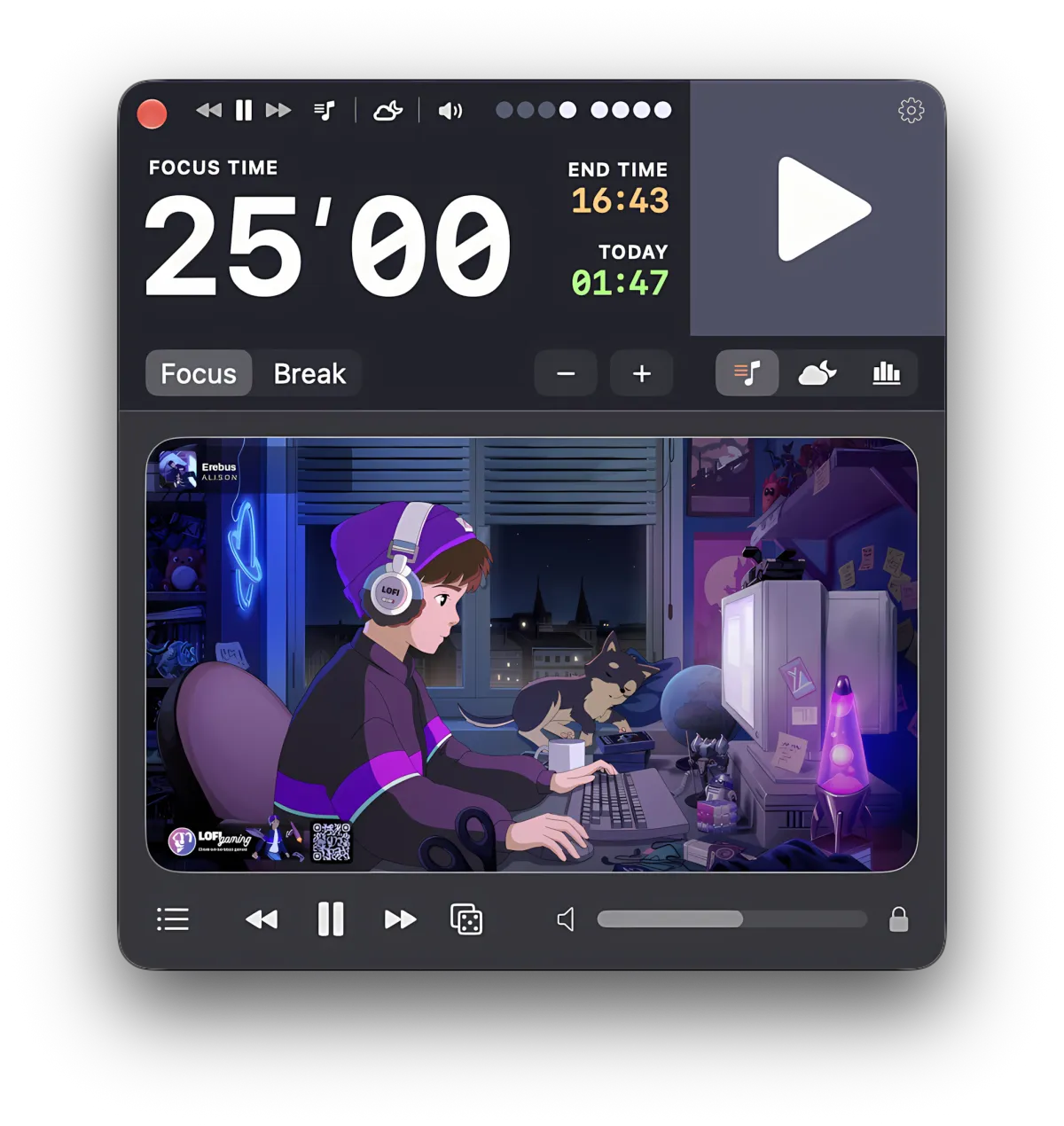
Focusito is a native Mac timer that covers one part of what people come to Forest for — a countdown that sits in the menu bar and a record of every session — and none of the rest. The page below is Forest on a Mac as it actually stands on 8 October 2026, with each fact pointing at where you can check it, then what to use for each thing you were hoping to get.
Forest does not make a Mac app, and the iPhone version is not offered on Macs either. On a Mac, Forest is a browser extension for Chrome and Firefox, not Safari. It brings the timer and website blocking into that one browser and nowhere else.
If blocking is what you need, that extension is free and so is Screen Time, which is already on your Mac. If what you need is a timer that stays visible outside the browser and writes your sessions down, that is a different kind of app, and this page names one.
A browser extension stops being a timer the moment you leave the browser. Focusito is a native Mac timer: the minutes left sit in the menu bar whatever app is in front, every session is written down with its planned and real length, and you can tag sessions with a project and read the totals one project at a time.
It does not block anything, it grows no tree, and it has no phone app to sync with. If the thing that keeps you honest is a site you cannot open until the timer ends, Forest's extension or macOS Screen Time is the answer and Focusito is not.
There is no Forest app for the Mac, and the App Store record says so
Forest is an iPhone and iPad app. Apple lets a developer offer an iPhone app on Macs with Apple silicon, and many do, which is why people assume Forest must be there somewhere. It is not. Seekrtech does not make it available there, and there is no separate Mac version.
The App Store keeps a public record for every app, and Forest’s lists exactly which devices it runs on. As of 8 October 2026 that record, for Forest: Focus for Productivity by SEEKRTECH CO., LTD., version 5.29.1, last updated 2 October 2026, names 130 supported devices. Every one is an iPhone, an iPad, or an iPod touch. The entry that would mark Mac availability is absent. A search of the Mac App Store for Forest returns no app from Seekrtech.
Check it yourself in about a minute. Apple’s lookup service answers in the browser with no sign-in:
https://itunes.apple.com/lookup?id=866450515Search the page for supportedDevices, then search inside that list for Mac. Nothing comes back. Apple’s search service, limited to Mac apps, gives the same answer, with no Seekrtech app in the results:
https://itunes.apple.com/search?term=forest+seekrtech&entity=macSoftwareOn a Mac, Forest is a Chrome or Firefox extension
Forest’s own FAQ, on forestapp.cc, puts it in one sentence, read on 8 October 2026:
Forest works across iPhone, iPad, Android, and as a browser extension (Chrome and Firefox).
And the next sentence says what the desktop version is for:
The browser extension brings Deep Focus and the timer to desktop browsing.
Two things follow from that. First, Safari is not on the list. A search for “forest safari extension” is a search for something that does not exist, and the Mac App Store, where Safari extensions live, confirms it. Second, “desktop browsing” is the scope. The extension runs inside Chrome or Firefox: its timer and its Deep Focus blocking work in that browser. Switch to Mail, Xcode, Pages, or a full-screen video and the extension is still running, but you no longer see it, and nothing it does reaches those apps.
Check it yourself: the Chrome Web Store listing for “Forest: stay focused, be present” reported 900,000 users and version 6.5.0 on 8 October 2026. It is widely used, though the last update that listing shows is from 23 December 2024. It is not a Mac app.
The free path, if what you want is Forest itself
If you like Forest and just wanted it on your Mac, you already have most of it without paying anything.
- Install the extension in Chrome or Firefox and sign in with the same Forest account as your phone. Forest’s FAQ says the account, focus history, and forest sync across platforms.
- For sessions away from the browser, start the timer on your phone. The phone app is the full product; the Mac extension is the desktop supplement to it.
- Stay on Forest Free. Forest’s own site, read on 8 October 2026, lists the free tier as “Deep Focus (the app blocker), Plant Together, and the full tree-planting mechanic — free”, with the focus timer in the same column.
One thing to know before you look for the one-time purchase you may remember. The FAQ answers “Can I still buy Forest Pro as a one-time purchase?” with:
No. Forest Pro is no longer available for purchase on any platform. New users can use Forest Free for the core focus experience or subscribe to Forest Plus for additional features.
Existing Pro owners keep their status. For a new user the choice is Free or the Plus subscription, and the subscription is billed through the App Store on iOS or Google Play on Android. There is no Mac purchase to make, because there is no Mac app to buy.
If blocking is the whole point, stay with a blocker
Be honest with yourself about which half of Forest you use. For a lot of people it is the wall, not the tree: the timer matters because the sites are locked while it runs.
If that is you, a Mac timer that does not block will not replace Forest, however nice its menu bar countdown is. Three options cover blocking on a Mac, the first two free:
- Forest’s extension, for sites, inside Chrome or Firefox. Free, synced to your Forest account, and the one that keeps your trees.
- Screen Time, built into macOS, for apps outside the browser. Apple’s Mac User Guide for macOS 27 describes Time Allowances, which cap how long you use a category of apps such as Social Media each day, and a Schedule for when those apps are available. A limit set there is not tied to one browser, which is the one thing a browser extension cannot do.
- Dedicated Mac blockers from the Mac App Store. Search the Mac App Store for “website blocker” and you get several apps whose names say exactly what they do; I have not tested them and will not rank them.
Check Screen Time yourself: open System Settings, choose Screen Time, then Time Allowances. On macOS versions before 27 the same place is called App Limits. Nothing to install.
If you want a tree as well as a wall, there is one app worth naming. Focus Plant by Shikudo is an iPhone app, and its App Store record on 8 October 2026 does include Mac support, so it installs on an Apple silicon Mac through the Mac App Store. It is the closest thing to “Forest on a Mac” that actually exists; I have not used it long enough to say more.
What a browser extension cannot give you on a Mac
Now the other half, for people whose problem was never the sites.
A timer that lives in a browser toolbar has three gaps on a Mac.
You cannot see it. Most Mac work happens outside the browser, in an editor, a design tool, a terminal, a document. The menu bar is the one strip that stays across every app and every Space — a full-screen app hides it until you move the pointer to the top of the screen — and an extension cannot put anything there. That is the whole reason menu bar timers exist, and the menu bar timer page covers what the menu bar can and cannot show, including the full-screen case.
You cannot look back. Forest’s record of a session is a tree, and the phone app’s history is the phone’s. What a Mac user usually wants at the end of the week is less poetic: how many sessions, how long each one was meant to be, how long it really ran, and on which days the plan held. The extension does not keep that for the Mac, and a pomodoro app with statistics is a separate category for that reason.
You cannot say what the time was for. Three hours of focus is one number. Three hours split between the thesis, the client, and the side thing is information. An extension has no idea which was which.
None of this is a flaw in Forest. Forest is a phone product with a browser supplement, built around not touching the phone. A Mac timer is a different tool for a different desk.
What Focusito does instead
Focusito is that different tool. You press one shortcut, ⇧⌘T, from any app, and the timer window appears. Press Play and the minutes left move into the menu bar, where they stay whatever is in front: your editor, a browser, a video; in a full-screen app, move the pointer to the top of the screen to see them. Keep the window on top if you like, or let it hide the moment a session starts and read the menu bar instead.
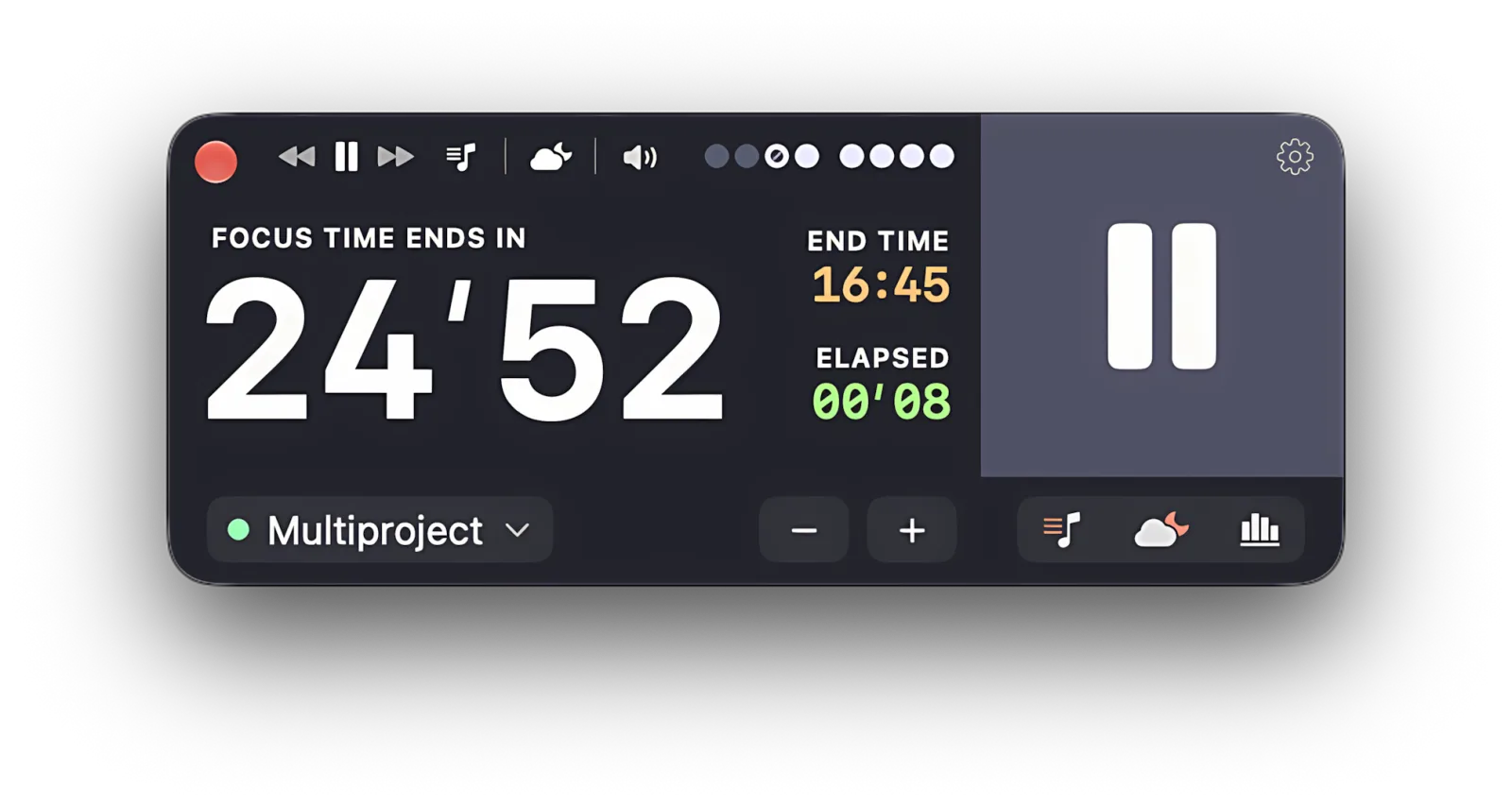
When the bell rings, Focusito plays its own sound and brings its window up without stealing your typing; it sends no macOS notifications at all. And every finished session is written down: when it ran, how long it was meant to be, how long it actually was. Tag a session with a project and you can read the statistics one project at a time. Or tag nothing, which Focusito calls Free Flow, and read the plain totals for the last 7, 30, or 90 days. If you work better against sound, rain, a ticking clock, or white noise can start with the session once you turn on follow-the-timer, and the background sounds page covers what is there.
That is the whole of it: a timer you can always see, and a record you can read.
If you do want the mechanical version: the menu bar item draws minutes and seconds, not minutes alone, and it is on by default; the same countdown on the Dock icon is off by default and is a switch in Settings. Focus and break lengths run from 5 to 60 minutes in steps of 5, and you can add or take away 5 minutes while the timer runs. A session counts once it passes one minute; stop it before the plan and the log records it as shortened rather than pretending it was complete. The log exports as JSON to keep and as CSV for Numbers or Excel, the JSON imports back by merging, and syncs between your own Macs through iCloud, Mac to Mac only. Everything is one window, one native app, and after the trial a one-time purchase.
The limit, once more, because it decides whether this page helped you: Focusito blocks no site and no app, grows no tree, and has no iPhone version to sync with. If a locked door is what makes your sessions hold, keep Forest’s extension in Chrome or Firefox, or set a Screen Time limit, and use whichever timer you like alongside it. Focusito is the timer and the record. It is not the wall.
Common questions
Is the Forest app available on a Mac?
Not as a Mac app. The App Store's own record for Forest: Focus for Productivity (Seekrtech, version 5.29.1, updated 2 October 2026) lists 130 supported devices, and every one of them is an iPhone, iPad, or iPod touch, so the iPhone version is not offered on Apple silicon Macs either. A Mac App Store search for Forest returns no Seekrtech app. On a Mac, Forest is a browser extension for Chrome and Firefox.
Does Forest have a Safari extension?
No, as of 8 October 2026. Forest's own FAQ says the app "works across iPhone, iPad, Android, and as a browser extension (Chrome and Firefox)." Safari is not on that list, and the Mac App Store, where Safari extensions are distributed, has no Forest extension. If you live in Safari, Forest's blocking cannot follow you there; Screen Time, built into macOS rather than into one browser, is the place to look instead.
Can I still buy Forest Pro as a one-time purchase?
No. Forest's FAQ, read on 8 October 2026, answers that exact question with: "No. Forest Pro is no longer available for purchase on any platform. New users can use Forest Free for the core focus experience or subscribe to Forest Plus for additional features." People who bought Pro earlier keep it. The free tier includes the timer, Deep Focus blocking, Plant Together, and tree planting, so for a new user the choice is Forest Free or the Forest Plus subscription.
Is Focusito a replacement for Forest on a Mac?
Only for the timer half of Forest. Focusito is a native Mac timer with the countdown in the menu bar, a log of every session with its planned and actual length, and per-project totals — things a browser extension cannot give you outside the browser. It blocks nothing, grows no trees, and has no phone app. If the part of Forest you rely on is blocking, keep Forest's extension or use Screen Time; Focusito is the wrong tool for that.
What apps like Forest work on a Mac?
Three different needs hide in that question. For a growing tree on a Mac, Focus Plant by Shikudo is an iPhone app whose App Store record does list Mac support, so it installs on Apple silicon Macs. For blocking, Forest's own Chrome or Firefox extension is free, Screen Time is built into macOS, and the Mac App Store has dedicated blockers. For a menu bar timer that keeps a record, a native Mac timer such as Focusito.